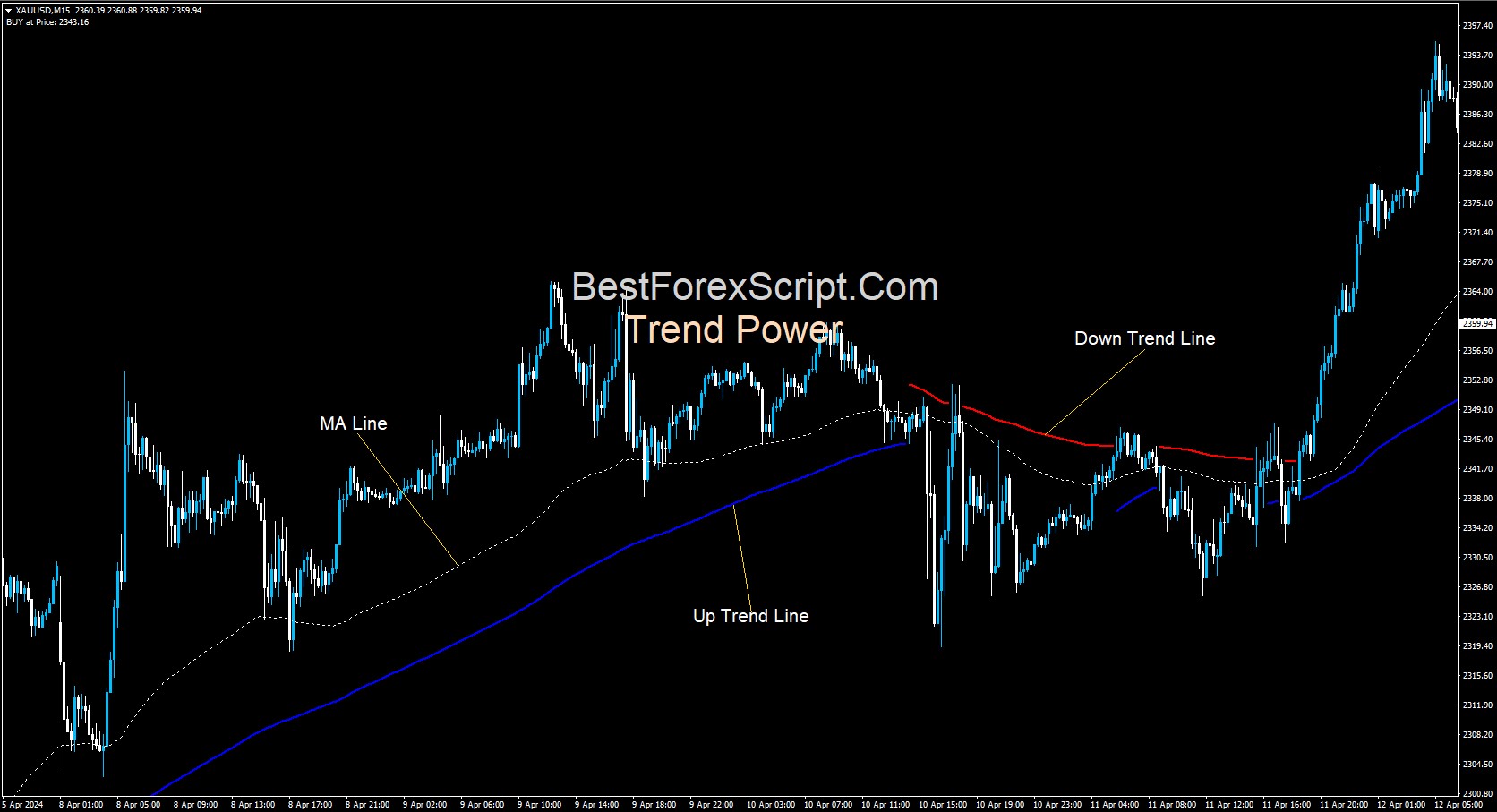
Trend Power Indicator is one of the best trend indicators. It is not the signal indicator, however there’s a lot of ways trader can trade with it and it alone. However you still can use this indicator as the filtering indicator to get a high winning rate from this indicator. It comes with very simple and clean trend presentation that even new trader can use it easily.
How To Setup Trend Power Indicator
Firstly, on your Terminal go to File –> Open Data Folders –> MQL4 –> Indicators. Secondly, paste the ex4 file. Next you need to refresh your terminal by close and open it again or by Right Click on Navigator windows and click Refresh. To include the indicator your charge, simply double click on the Trend Power Indicator on your Navigator windows or Drag it and drop on your chart –> make change on setting and click OK.
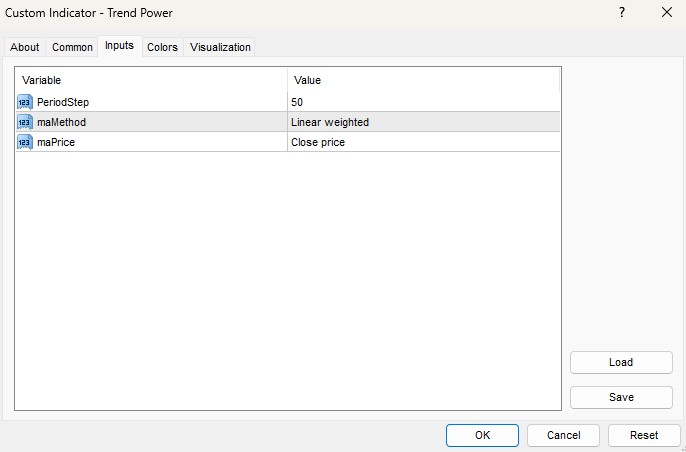
- PeriodStep: Here you enter the number of the Moving Average period. As you can see, it use only MA and nothing else.
- maMethod: This is the Moving Average Method that the indicator will use to calculate the MA including Simple, Exponential, Smooth and Linear Weighted MA.
- maPrice: Here you choose the Price type of the MA.
How It Works
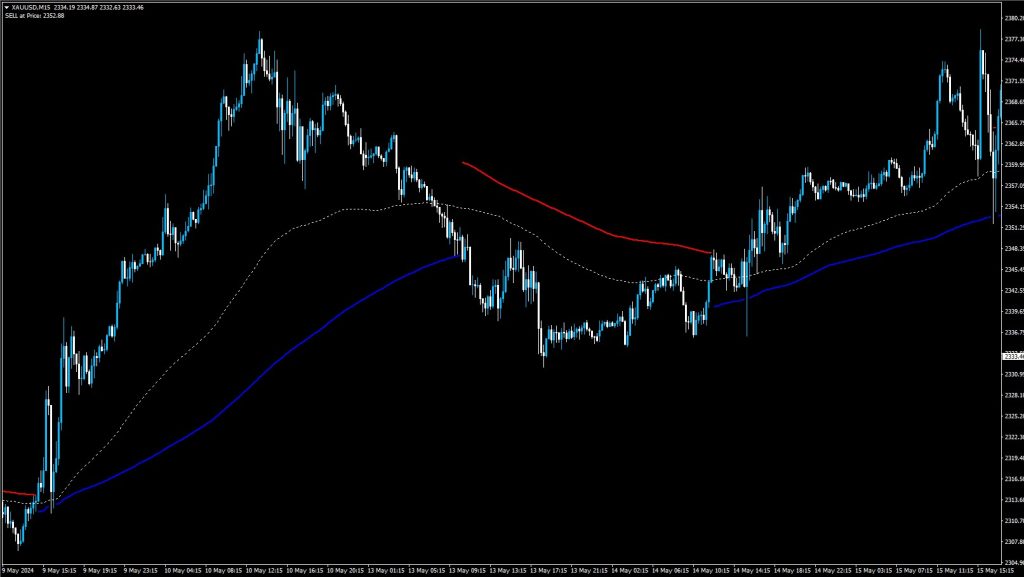
After inserting the indicator on your chart, you will see 3 things: Firstly, the red line is the Down Trend Line indicates the bearish momentum. Secondly, the blue line is the Up Trend Line indicates the bullish momentum. In the bearish momentum we will look for SELL opportunity only. In the bullish momentum we will look of BUY opportunity only. Both Down and Up Trend Line could be use as your SL and SL Trailing. Last but not least, the white dash line is the MA Line.
Check out the SSL MTF and Half-Line Indicator as well!
Want an Expert Advisor for Trend Power Indicator? Join our Telegram
Need a VPS to run Expert Advisor? Click Here to Register

Download Below: