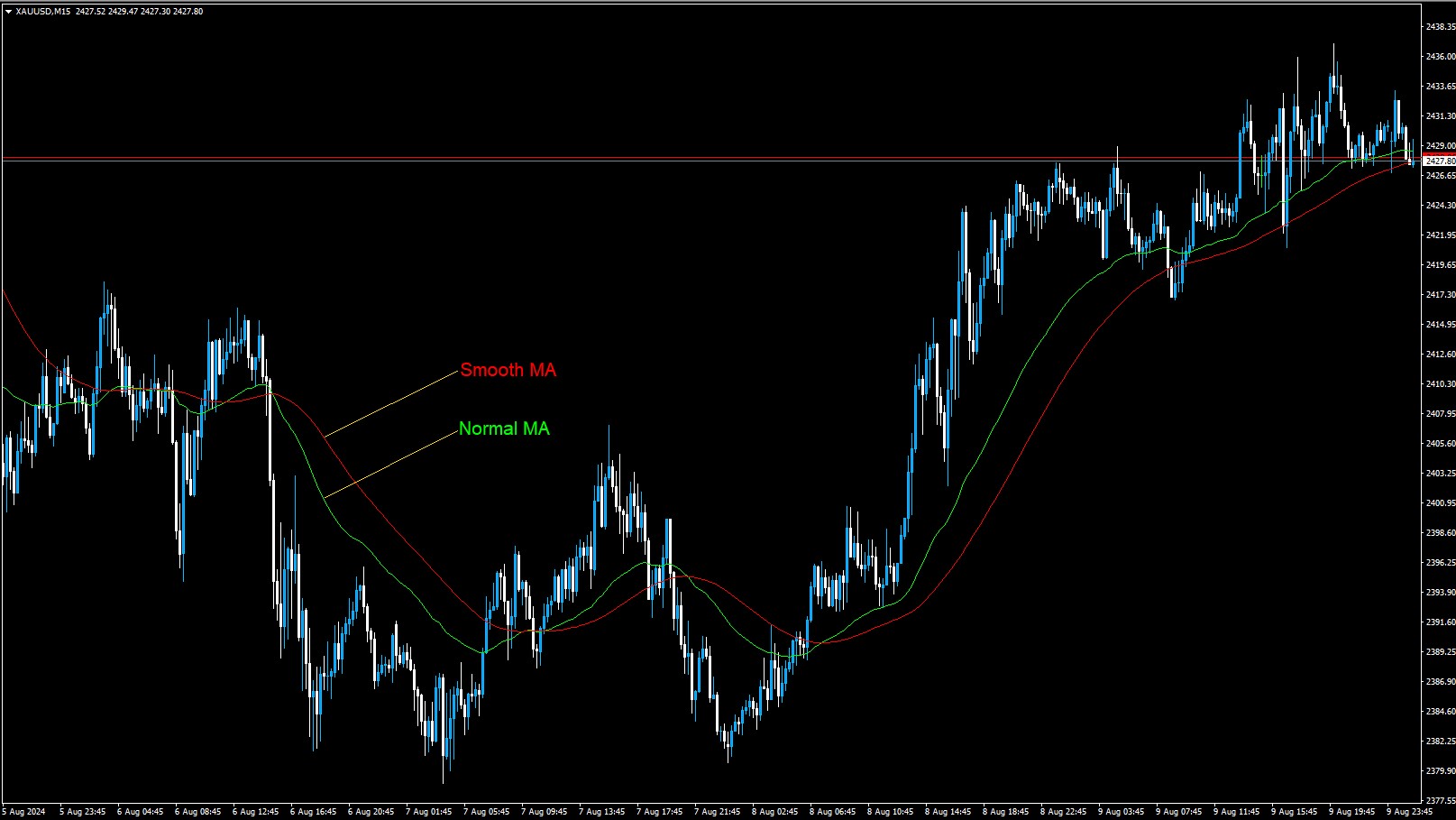
Smooth MA Indicator is a smoothy version of the classic Moving Average. This indicator provide a trend using the MA and its smoothy line. User can use it alone as a trend filter combining with signal indicators such as Half Trend or any other entry setups.
How To Setup Smooth MA Indicator
Firstly, On your Terminal go to File –> Open Data Folders –> MQL4(5) –> Indicators. Secondly, paste the ex4(5) file you downloaded into Indicators folder. Next you need to refresh your terminal by close and open it again or by Right Click on Navigator windows and click Refresh. To include the indicator your charge, simply double click on the Smooth MA Indicator on your Navigator windows or Drag it and drop on your chart –> make change on setting and click OK.
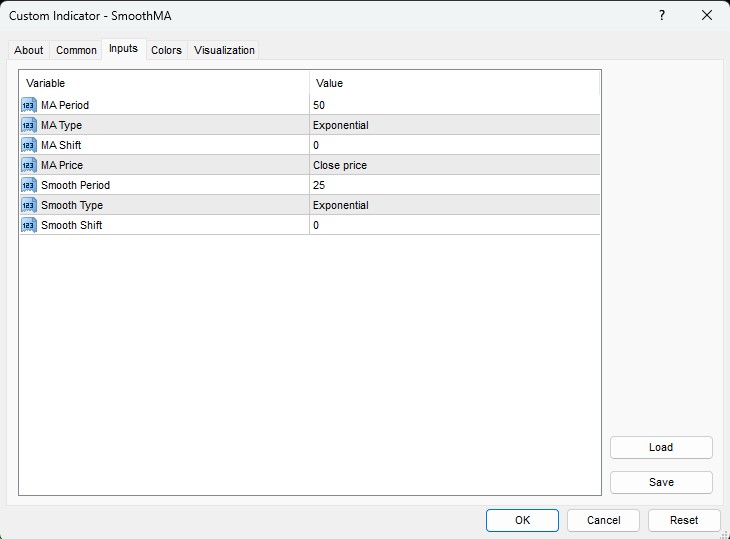
- MA Period: This is the period number for the classing moving average.
- MA Type: Choose the MA type here.
- MA Shift: Define the shift the indicator use for calculating the Moving Average value
- MA Price: The price type of the calculation
- Smooth Period: The number period to calculate the average of the MA value or smooth MA. It should be smaller than the MA Period
- Smooth Type: the MA Type for smoothing the calculated Moving Average
- Smooth Shift: the shift that the indicator use to calculate the Smooth Line
How It Works
Just like the classic Moving Average, we can use this indicator in various ways such as, MA-cross entry, MA break entry, candlestick patter at the MA mitigation. The indicator prints two lines on chart, the Green line is the classic MA and the Red line is the Smoothy. In bearish condition we could find that the Smooth MA stays above the classic MA and vise versa.
Want an Expert Advisor for Smooth MA Indicator? Join Our Telegram
Need a VPS to run Expert Advisor? Click Here To Register

Download Below: